A self-hosted e-ink dashboard for my PM context fatigue
I’m a PM at Fastly. On a normal day I’m in three to twelve different deeply technical contexts: API planning in the morning, a customer design review after lunch, developer-tooling roadmap at 4pm, 1:1s with engineers in between. Each one wants my full attention. Each one gets some, then gets dropped, then gets picked back up.
What wasn’t working
The dropping and picking back up is where the cost lives. Call it context fatigue: each handoff is small, but they compound across a day. I had a Notion database that listed what I was working on. Today, In Progress, Upcoming. When I actually looked at it, it helped. The list itself wasn’t the problem.
The problem was where the list lived. Notion is a tab in a browser, or an app in the dock, jostling with other tabs and other apps. The moment I switched to Slack to answer an engineer, or to a design doc that needed my full head, the list slipped out of sight, which was, by definition, exactly when I needed it most. Out of sight, out of mind. I never built the habit of looking. Going back required remembering it existed, which was the thing the list was supposed to do for me.
I tried the usual things first. Paper (bullet journals, sticky notes) doesn’t hold URLs, and half my context lives in URLs. A second monitor with Notion always open eats desk space and adds another sheet of always-on glass to a room I already sit in for ten hours a day. Focus apps were aimed at the wrong problem. I didn’t need discipline. I needed a list that didn’t disappear.
What I needed
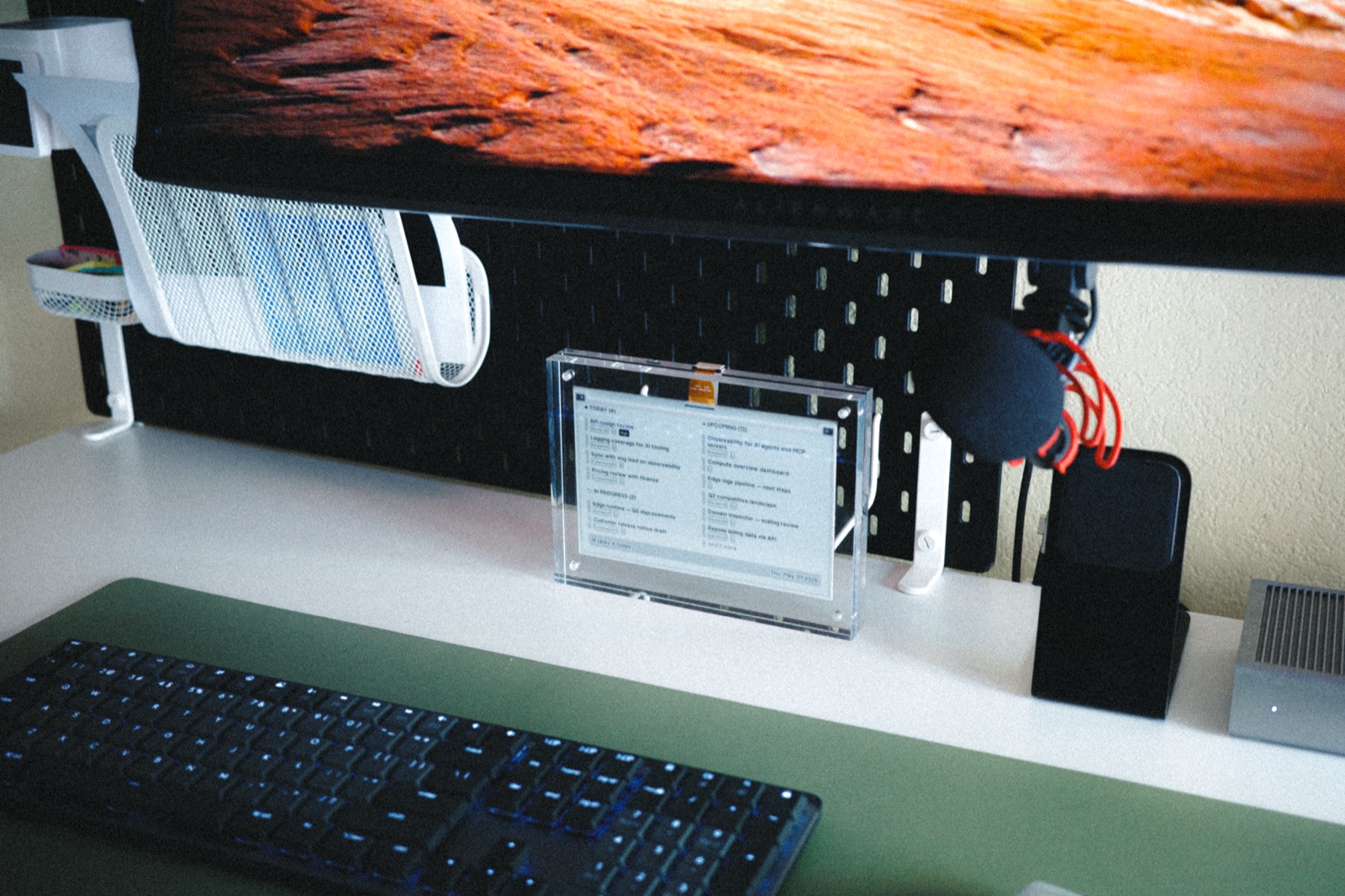
What I wanted was a small, dedicated, persistent surface that showed the list and only the list. Always visible, no chrome, no notifications, no animation. Pulls from Notion so I never have to type the same task twice. Sips power. Doesn’t compete with anything else on the desk because it isn’t trying to.
E-ink is exactly that, when it’s allowed to be. It draws power only on refresh. It looks like paper. It sits there. It’s wireless, and I’ve charged it once in three months. Low maintenance, hacker-friendly, zen.
Why I built it
I looked at a few hosted dashboard products. Most of them are good at what they’re for, but the polished ones want you to use their layouts and their data sources. I wanted the data to be Notion, the layout to be mine, and the device to be small. So I built it. It’s not that hard.
TRMNL made the device part easy: a 7.5” e-ink panel that polls a server, gets back a Liquid template plus data, renders server-side, dithers for the panel, shows it. You can use their hosted service or BYOS (Bring Your Own Server) and run their LaraPaper container yourself.
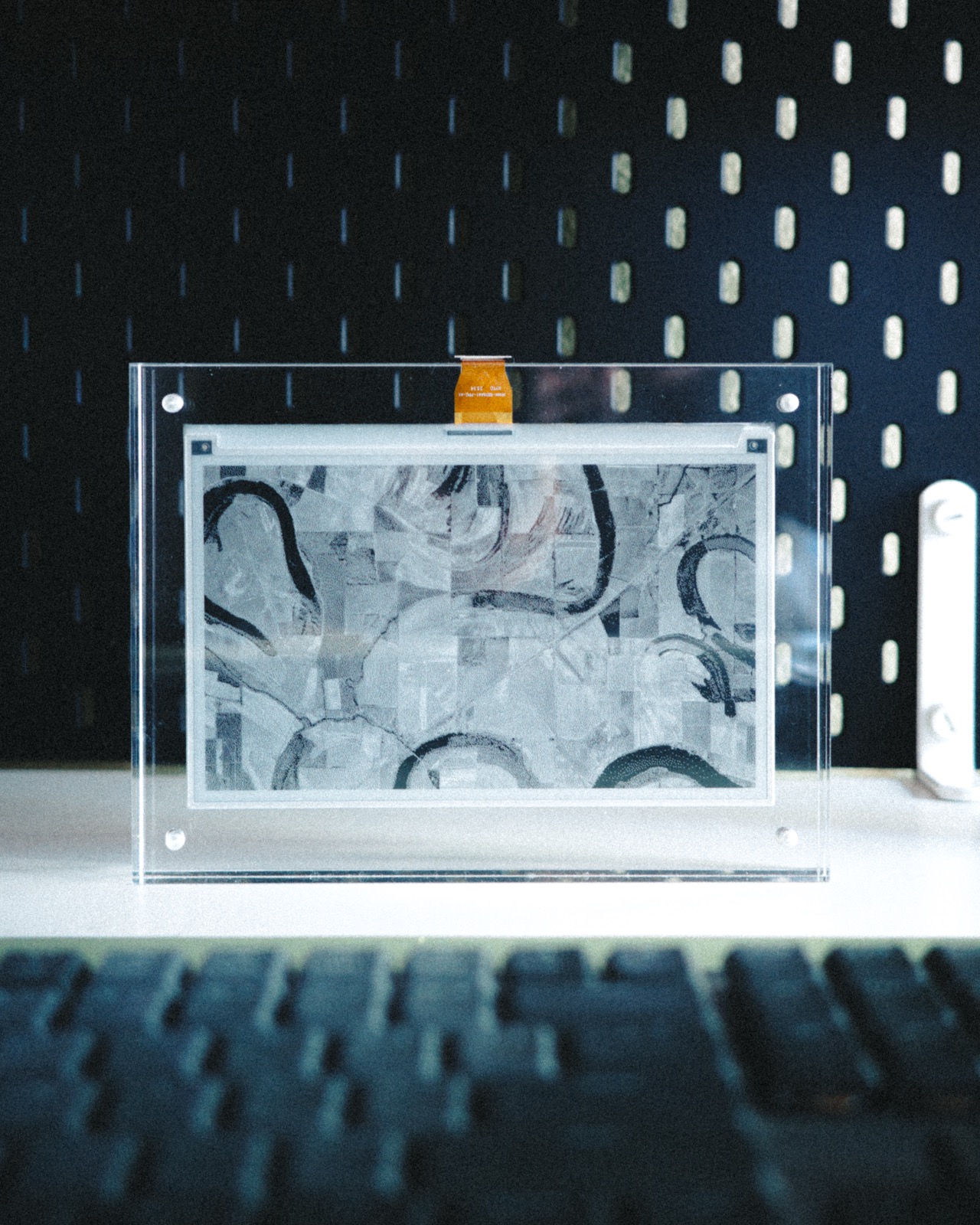
I’m BYOS, on the NAS from earlier, with two small adapters I wrote on Fastly Compute (kicked the tires on Compute while I was at it). Notion kanban during work hours; an “earth from above” photo from Unsplash otherwise, because if it’s going to be on the desk it might as well be nice to look at when I’m not working.
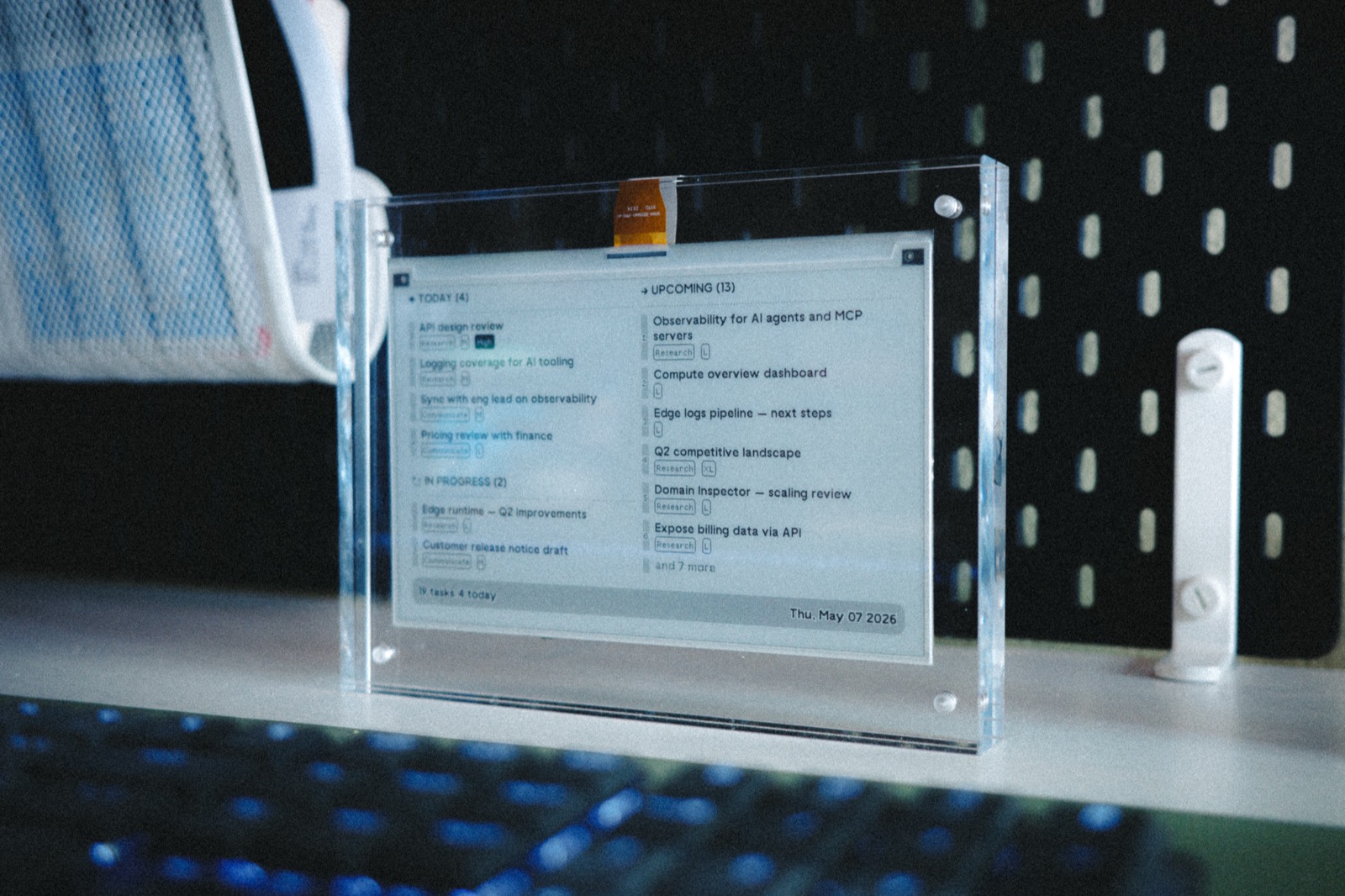
The list stopped being a tab and became a place. Always visible, never demanding.
What changed
The setup is small. What it shifted isn’t.
I pay attention to fewer things. The list of what’s important is right there, all the time, and the act of looking at it is the act of remembering. I finish more high-priority work because high-priority work has a permanent visual home. When I come back from a context switch, the list is still there, in the same place, with the same shape. Context-switching stops feeling like dropping a stack of plates and starts feeling like turning a page.
There is less clutter on the desk and, more usefully, less clutter in my head.
I didn’t expect the wellbeing part. Switching contexts now feels relaxed. The screen is the visual entrypoint into the rest of the work; I can pick up exactly where I left off in Notion because the list told me where that was. The weight of holding a dozen open threads in my head (the part that was stressful) got externalized to a piece of paper-that-isn’t-paper. Not a small change.
What I’d do differently
If I were starting again, I’d go larger. The 7.5” panel was the right place to start because the problem was urgent, the device was cheap, and the build was a weekend. The next iteration probably wants to render an actual Notion screenshot directly rather than reconstructing the kanban out of TRMNL’s UI components, closing the gap between what I see and what I edit. Same problem, more fidelity.
Until then: out of sight is no longer out of mind. Which was most of what I needed.